Chapter 4 of 10
Reminders
Reminders go out on their own: a few days before the due date, on the due date, and again if the invoice is still pending. You choose the time, the weekly message cap, and the minimum amount worth reminding about.
When one does not go out, the reason is written right next to it, never in silence.
Chapter index
Why a reminder was not sent
When a reminder does not go out, the reason is written down. Cobbi does not retry in silence and does not delete anything: the send is marked as skipped, with its reason right next to it.
See it in three steps
- Open the charge from Charges.
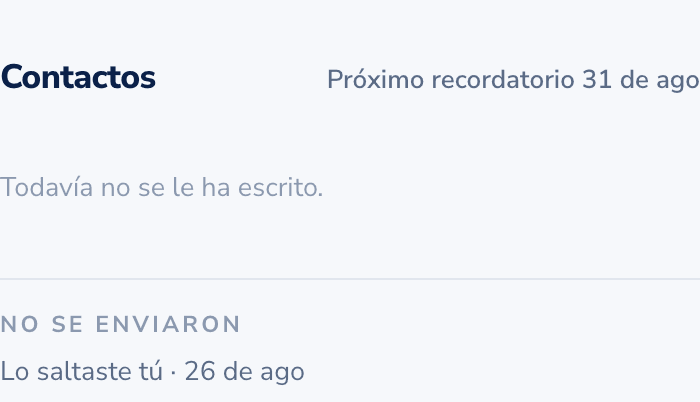
- Look at its reminders: the one that did not go out shows as skipped, with the reason on the same row.
- Fix what the reason says. The next reminder goes out on its own, at the hour you set.
The nine reasons you will see
Your customer asked to stop
They replied STOP on WhatsApp and we stopped writing. It is final and cannot be undone from Cobbi. The charge stays open and you can still reach them another way.
The charge is disputed
Someone marked it as "I do not owe that". A disputed charge is never scheduled and nothing is sent, and that is on purpose: you settle it first, then you collect. Clear the dispute and reminders resume.
The customer has no mobile number
With no valid mobile there is nowhere to write. Add it on the customer, with the country code.
Your plan ran out of reminders
Every plan includes a number of active charges per month. When they run out, reminders stop going out. Buy an extra pack or move up a plan. Receipts and the alerts you get do not use that quota.
The number is paused
It is our WhatsApp number that is paused, not your account. It happens when WhatsApp throttles sending for a while. Nothing to do on your side: the reminder resumes when the number does.
The amount is below your minimum
You set the amount from which a reminder is worth it. Anything below is skipped. You change that minimum in Settings.
Too many messages this week
There is a cap of messages per customer per week, two by default. It is what keeps a reminder from turning into harassment, especially when the same customer owes you five invoices. You can change it in Settings.
The charge is no longer open
It is paid, voided, or it belongs to an installment plan that already closed. We do not remind what is not owed.
No message ever reached that phone
More than one went out and none shows as delivered: the number is wrong or your customer blocked the chat. The remaining reminders are skipped while that holds, so your number stays healthy for all your other customers. Check the mobile number on the customer's card; if it starts receiving again, the rest go out on their own.
If the reason does not match what you see, check what your customer receives.